



Play Poker with Friends Using Crypto
On your own platform With one's own friends Have fun to the fullest

Download CHIPCHIP


Step 1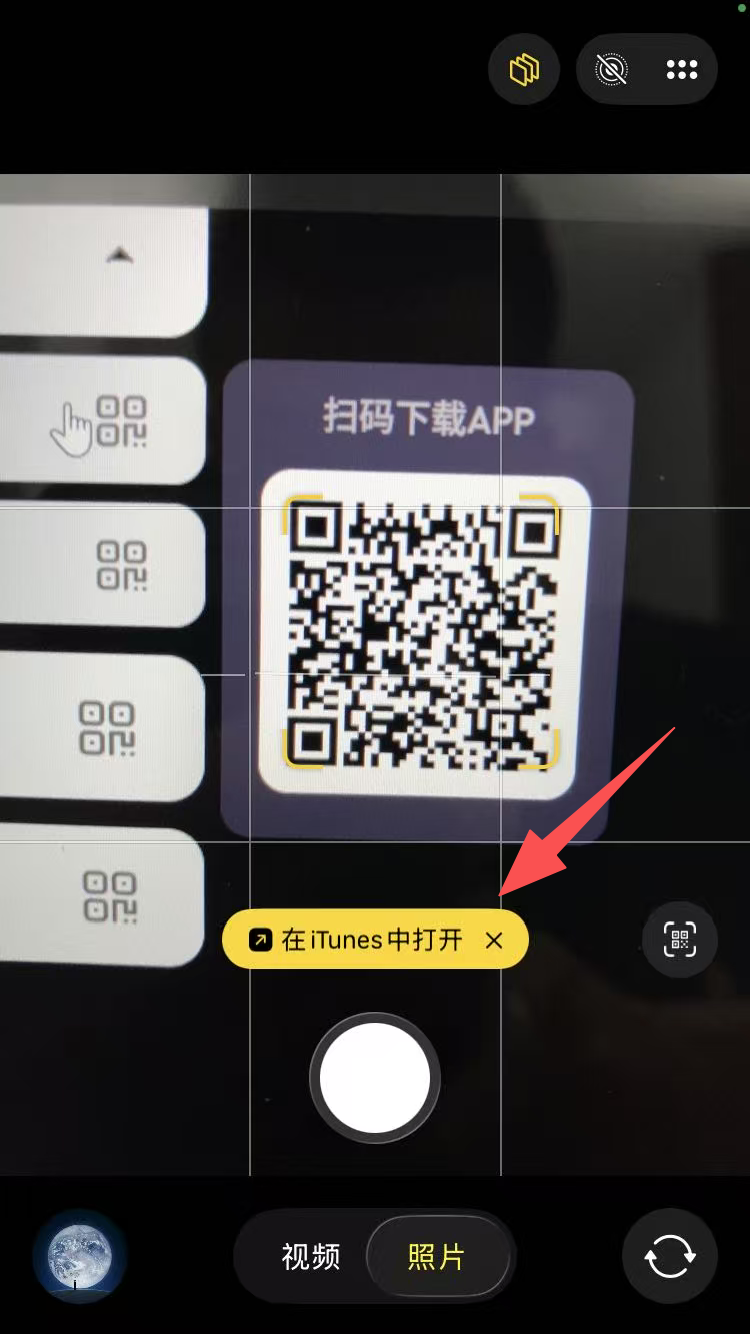
Use your iPhone's native Camera app to scan the QR code, then tap "Open in iTunes".
Step 2
Tap the "Install" button.
Step 3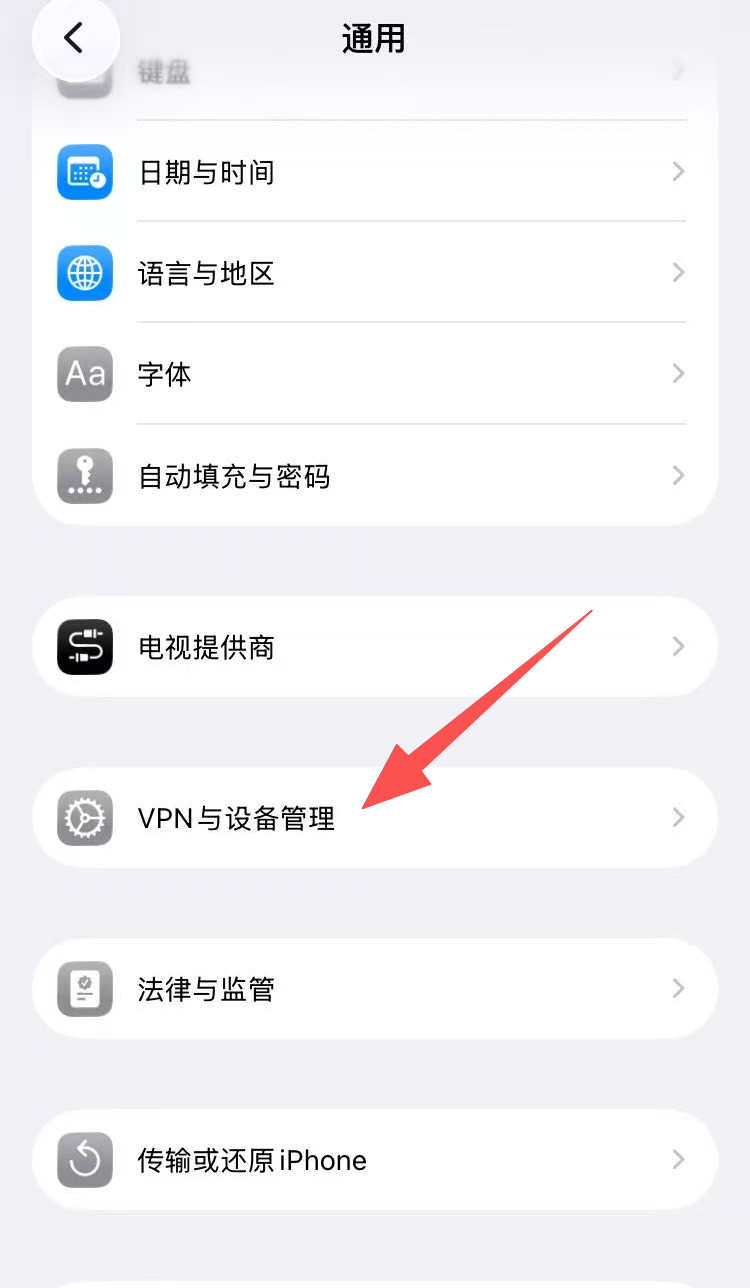
Go to "Settings" on your phone, find "VPN & Device Management" under "General", and tap to enter.
Step 4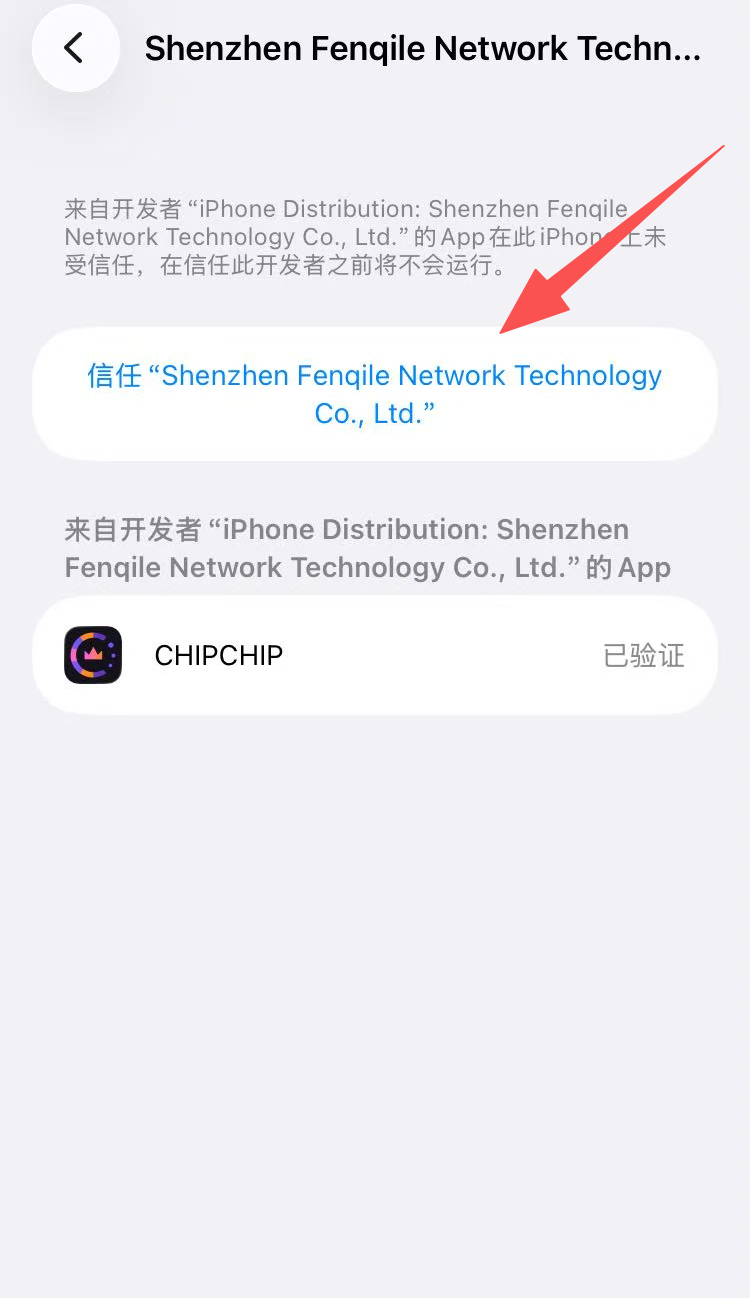
Under "Enterprise App", find the developer of CHIPCHIP and select "Trust" this developer.
Step 5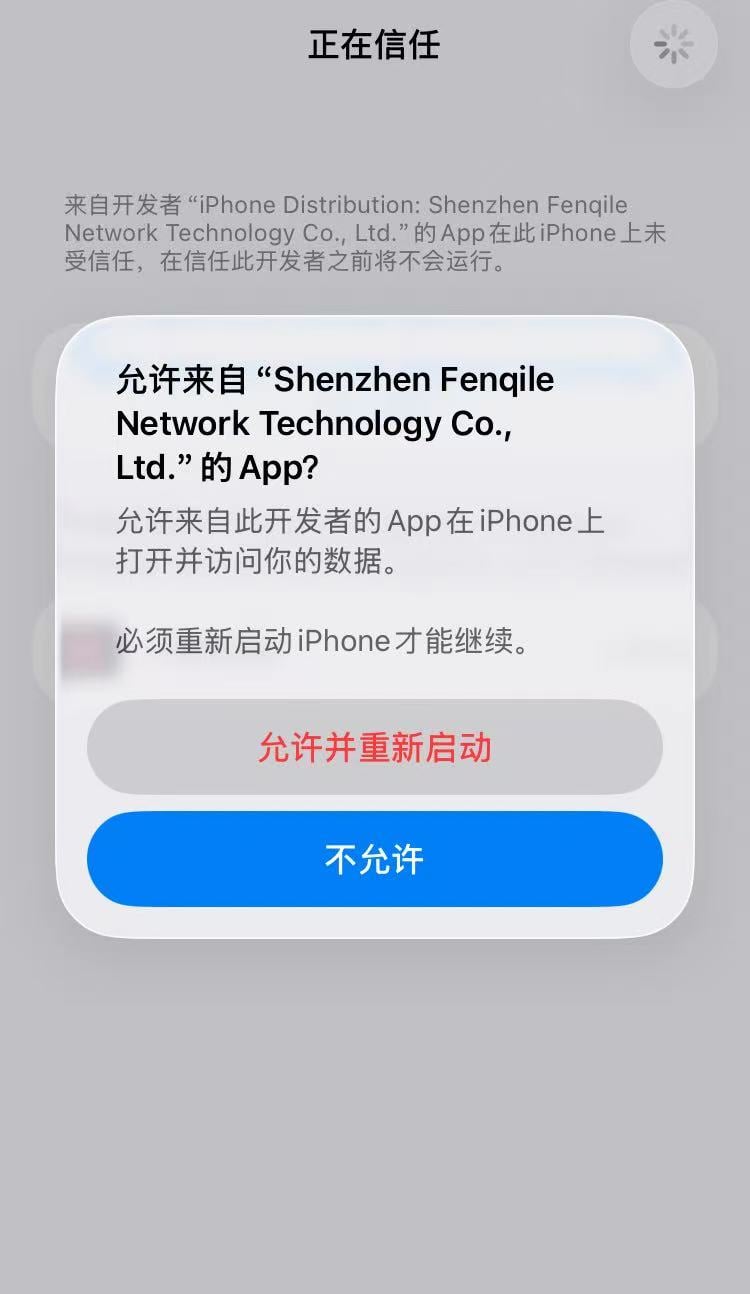
Choose "Allow and Restart". This is a necessary step for installing an enterprise-signed app.
Step 6
After the phone restarts, select "Install Profile" and enter your phone unlock passcode as prompted.
Step 7
Once installation is complete, return to the home screen and you can open the CHIPCHIP App directly.

CHIPCHIP was founded by crypto enthusiasts disappointed with the poker ecosystem. There is no project team; everyone is a stakeholder. CHIPCHIP belongs to all players. Let's build a new generation Web3 poker platform together and create our own miracle.
Email:[email protected]
Copyright © 2026 CHIPCHIP